
BePresent
Screen Detox IncProductivity
4.8324.00 Reviews
- Version
- 1.1.13
- Installs
- 50.00K
- Age Rating
- Everyone
Screenshots
Our Review of BePresent
 Analysis by Appyee
I spend a lot of time testing productivity apps that promise to make phones less distracting, and BePresent takes a refreshingly direct approach. It is designed to block apps, help me focus, and connect that effort with rewards. That sounds simple, but the useful question is whether the app can make the first few hours away from distracting apps feel manageable rather than frustrating. In my experience, its appeal comes from turning a vague goal like “use my phone less” into a more deliberate routine.
BePresent is a free productivity app from Screen Detox Inc, intended for everyone and available on devices running Android 8.0 or later. It has a 4.8 average from around 6,100 ratings, with more than 50,000 installs. Those figures suggest that the app has already found an audience among people who want practical help with screen habits rather than another complicated planning system.
The best way to understand BePresent is as a focus companion, not a complete digital-wellbeing replacement. It is most useful when I already know which apps interrupt my day and want a clear barrier between an intention and an automatic tap. If I am looking for detailed phone-use reports, deep task management, or a broad personal productivity suite, I would look elsewhere. BePresent is narrower, and that focus is both its strength and its main limitation.
What BePresent feels like when you first open it
The first-time experience is easiest when I approach it with one specific problem in mind. Instead of trying to redesign my entire phone routine immediately, I would begin with the app that I open without thinking. That might be a social feed during work, a video app before bed, or a news app that turns a short break into a long one. Choosing one clear target makes the app’s purpose easier to understand and gives me a realistic first win.
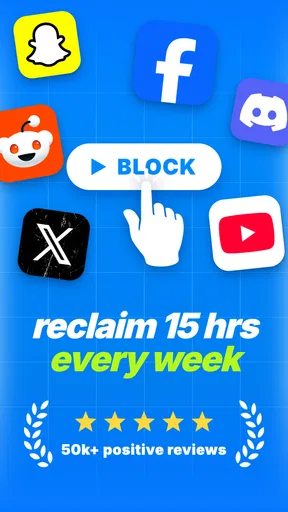
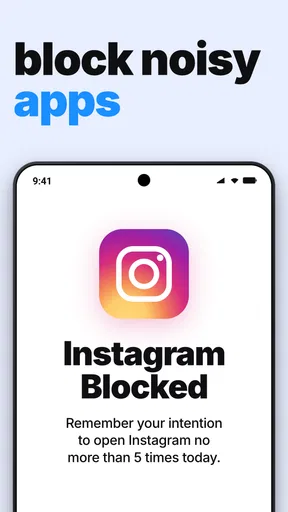
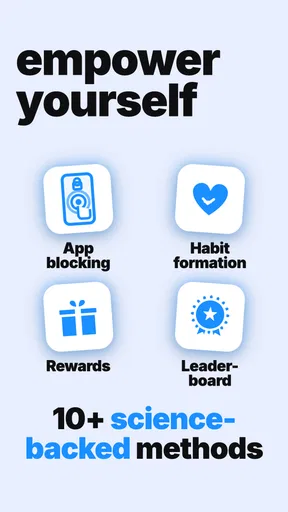
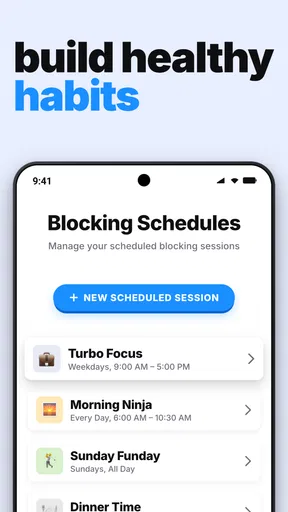
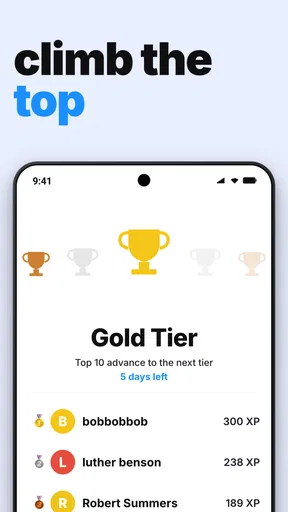
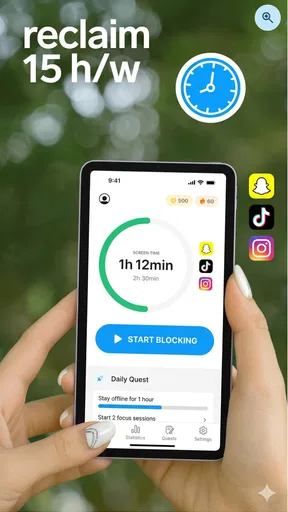
The store summary describes BePresent as a tool to block apps, focus, and earn rewards. In practical terms, that combination matters because blocking alone can feel punitive. A reward-oriented approach gives the interruption a positive direction: I am not merely being prevented from opening something; I am trying to protect a period of attention for a reason that matters to me.
I would not expect the app to remove temptation completely. A blocker can create friction, but it cannot decide whether a distraction is genuinely urgent, and it cannot replace a plan for what I want to do with the recovered time. The strongest results should come when I pair a focus period with a small task, such as answering one important email, reading several pages, preparing a meal, or having a conversation without checking the screen.
That distinction is important for first-time users. If I activate a block while leaving my work undefined, I may simply switch to another distraction. BePresent can support the boundary, but I still need to give the boundary a purpose. A good first session is therefore short and concrete: choose the problem app, begin a manageable focus period, and use the freed attention immediately.
Setting up a useful first session
After installing the app, I would take a moment to decide what success should look like before changing any settings. The goal might be finishing a paragraph, eating lunch without scrolling, or keeping the phone away during a study session. This prevents the setup from becoming another form of procrastination, where I spend more time adjusting a productivity tool than doing the activity it is meant to protect.
BePresent is free to start, which lowers the risk of trying it. The app also includes in-app purchases ranging from $9.99 to $59.99 per item. I would treat those as an optional decision rather than part of the basic test. First I would determine whether the central blocking and focus routine fits my habits. Paying before understanding that fit would make little sense, especially because people respond very differently to strict digital boundaries.
The current version is 1.1.13, and the minimum operating-system requirement is Android 8.0. That makes the app accessible to many Android users, though anyone with an older device should check compatibility before planning around it. The age rating is Everyone, so the presentation is suitable for a broad audience, including families deciding whether a straightforward focus tool is appropriate for younger users.
My practical setup advice is to begin with the smallest meaningful boundary. If social apps are the problem, I would not immediately block every communication tool. Keeping genuinely necessary channels available can prevent the first session from feeling unreasonable. A narrowly chosen block is also easier to evaluate: if I succeed, I know which boundary helped; if I fail, I can adjust the target instead of abandoning the whole idea.
Another useful habit is to start the first session when I have a clear transition point. Beginning just before a meeting, a study block, a meal, or bedtime gives the restriction a natural endpoint. Starting randomly in the middle of an already demanding task can make the block feel like extra work. BePresent is more reassuring when it becomes part of a routine I already understand.
The first meaningful success
For a realistic example, imagine that I keep opening a social app while preparing a report at home. I would select that distraction, start a focus session, put the phone beside me rather than in my hand, and immediately open the document I need to work on. The first success is not an impressive streak or a dramatic lifestyle change. It is noticing the automatic impulse, meeting the block, and returning to the report without negotiating with myself.
That moment is where BePresent has more value than a passive reminder. A notification telling me to focus still leaves the decision entirely open. A blocker creates a pause at the exact point where the habit normally takes over. That pause can be enough to reveal that I was bored, tired, or avoiding a difficult sentence rather than genuinely needing the app.
I also like the idea of using rewards as a bridge instead of treating them as the main motivation. At first, a reward can make the effort feel tangible. Over time, the more important result is learning which situations trigger mindless checking. If I rely only on rewards, I may lose momentum when the novelty fades. If I use them to reinforce a repeatable routine, they can help the routine become easier to maintain.
A small but effective workflow is to write down the next action before starting a block. “Work on project” is too vague; “draft the opening paragraph” is easier to begin. The app handles the distraction boundary, while the written action handles the uncertainty that often sends me back to my phone. This pairing is one of the most useful ways to get more from a simple focus tool.
For bedtime, I would use a different approach. Rather than blocking a wide range of apps at the end of an exhausting day, I would choose the one that keeps me awake and prepare an alternative first: a book, quiet music, or a ready-to-sleep routine. The block works better when the replacement activity is already within reach. Otherwise, I might unlock the phone simply because there is nothing else to do.
Where new users may feel confused
The word “block” can create unrealistic expectations. BePresent is not a substitute for personal judgment, and a focus session may not match every real-world situation. Work messages, family communication, navigation, and urgent information can matter. I would therefore avoid creating a rigid setup that treats every interruption as harmful. The right configuration should protect attention without making the phone unusable when I genuinely need it.
Another possible source of confusion is the relationship between focus and rewards. A reward does not automatically make a session productive. I can complete a block while avoiding the important task in another app or by staring at the screen without purpose. I would judge a session by what I did with the protected time, not merely by whether the timer or restriction remained active.
There is also a psychological trade-off. Some people find blocking empowering because it removes a decision. Others feel controlled by restrictions and immediately look for a way around them. If I belong to the second group, I would start with a short, low-pressure experiment rather than a strict all-day arrangement. The app is more likely to help when I choose the boundary willingly.
Users should also think about shared devices and changing schedules. A setup that works during a quiet weekend may be inconvenient on a workday filled with messages. I would review the routine after several sessions and ask whether the blocked app was truly the issue, whether the timing was sensible, and whether the reward encouraged the behavior I wanted. The goal is not to prove discipline; it is to build a boundary I can actually keep.
Compared with the built-in digital-wellbeing tools found on many phones, BePresent feels more focused on active intervention. System tools are valuable when I want broad usage information, general limits, or a view of how my time is distributed. BePresent is better suited to the moment when I already know the distraction and want a deliberate focus action. I would use the system dashboard for diagnosis and this app for a more intentional response.
Compared with notification muting or simply moving an app into a folder, BePresent offers a stronger break in the habit loop. Those lighter methods are less disruptive and may be enough for someone with moderate distractions. They are also easy to ignore. BePresent makes more sense when I have repeatedly tried gentle reminders and still find myself opening the same app automatically.
It is less comparable to a full task manager. A task manager can organize projects, deadlines, notes, and priorities; BePresent’s role is narrower. If my main problem is forgetting what to do, I need planning software. If my plan is clear but my attention keeps leaking into a particular app, BePresent is the more relevant tool. Knowing that difference prevents disappointment.
Who gets the most from it
I think BePresent is a strong fit for students who need protected study intervals, remote workers who keep drifting into entertainment, and anyone trying to make meals or conversations less screen-centered. It may also help people who have already identified a repeated trigger but do not want a complicated system with many categories, reports, and settings.
The app can be especially useful for a person who says, “I do not need more advice; I need a pause before I open this.” That is a very specific need, and a focused blocker addresses it directly. The rewards element may also suit users who respond well to visible progress and small positive reinforcement rather than guilt.
I would be more cautious recommending it to someone who needs detailed analytics, flexible project planning, or nuanced rules for many different contexts. It may also be a poor match for a user whose work depends on switching rapidly between several apps. In that situation, frequent restrictions could create friction instead of concentration. A lighter notification-management approach or a broader system tool may be more practical.
Parents and families may appreciate the Everyone rating and simple purpose, but I would still treat it as a conversation starter rather than a complete solution for another person’s phone habits. A young user is more likely to benefit when the focus goal is agreed on and understandable. A restriction imposed without context can turn the app into a source of conflict instead of a support for attention.
How I would build the habit beyond the first session
Once the first focus action feels comfortable, I would keep the setup stable for a while instead of constantly adding more blocked apps. This is a non-obvious advantage of a narrow approach: it lets me learn which boundary actually changes my behavior. If one app accounts for most of the interruptions, blocking five others may add inconvenience without adding much benefit.
I would also connect different focus moments to different replacement activities. During work, the replacement might be a written task. During meals, it might be conversation. Before sleep, it might be reading. This makes the app feel less like a wall and more like a doorway into something specific. The same block can produce very different results depending on what I do immediately afterward.
Another useful tactic is to review failures without treating them as proof that the app does not work. If I repeatedly stop a session, I would ask whether the blocked app was needed, whether the session began at the wrong time, or whether the task was too vague. Sometimes the correct adjustment is not a stronger block but a better starting action. That kind of reflection keeps the tool from becoming an all-or-nothing test of willpower.
The reward system can be used as a short-term training aid. I would pay attention to whether it encourages the exact habit I want or merely makes me chase completed sessions. If the reward becomes the only reason I focus, I would simplify the routine and reconnect it to the real benefit: finishing work earlier, being more available to other people, or ending the day with less mental noise.
Because the app has a free entry point, I would give myself enough time to test several ordinary situations before considering an in-app purchase. The price range is broad, and the value depends heavily on whether blocking is the kind of support I will continue using. Someone who needs occasional help may be satisfied with a basic routine, while a committed user may decide that additional paid access is worthwhile after experiencing a clear improvement.
My recommendation after using the approach
BePresent is not trying to solve every productivity problem, and I think that is the reason it can be useful. It concentrates on the uncomfortable moment between intending to focus and automatically opening an app. By adding a block and a reward-oriented reason to stay with the chosen activity, it gives that moment more structure than a reminder does.
My recommendation is to start modestly: choose one distracting app, pair the first session with a clearly defined action, and test the routine during a natural part of the day. If the interruption is helping me return to what matters, I would gradually make the habit more consistent. If it only makes my phone frustrating or interferes with necessary communication, I would step back and use a lighter alternative.
BePresent is at its best when I use it as a practical pause, not as a punishment. The free starting point, Everyone rating, broad Android compatibility, and straightforward productivity focus make it approachable for first-time users. Just remember that the app can protect a window of attention, but I still have to decide what deserves that window. For people who want a focused blocker with a positive reinforcement angle, BePresent is worth trying before committing to a more elaborate productivity system.
Verdict
Strengths of BePresent
- Simple interface makes daily check-ins quick and easy.
- Encourages mindful habits with gentle reminders and prompts.
- Useful for tracking personal goals and everyday intentions.
- Lightweight design should run smoothly on most modern devices.
- Can support more consistent reflection without complicated setup.
Limitations of BePresent
- Some features may require a subscription or in-app purchase.
- Reminder options may feel limited for users needing detailed schedules.
- Benefits depend on regular use and personal commitment.
- Limited customization may not suit users wanting a highly personal layout.
- Privacy details should be reviewed before recording sensitive reflections.
Similar Picks in This Category
View All
Google Calendar
Google LLC4.6

Google Drive
Google LLC4.3

Google Assistant
Google LLC3.9

Microsoft OneDrive
Microsoft Corporation4.6

Samsung Calendar
Samsung Electronics Co., Ltd.4.1

Microsoft OneNote: Save Notes
Microsoft Corporation4.6
Frequently Asked Questions
What is BePresent and what does the app do?
BePresent is designed to help users become more mindful of their daily phone habits and spend more attention on the people and activities around them. Depending on the version and platform, it may provide screen-time awareness, reminders, focus tools, or gentle prompts to put the phone aside. Before downloading, check the current store description to confirm which features are available on your device.
Is BePresent free to download and use?
BePresent may be available as a free download, but some features can require a subscription, one-time payment, or in-app purchase. The free version may include basic tracking or reminders, while advanced tools could be restricted. We recommend reviewing the pricing section in the App Store or Google Play listing before starting a trial, especially because subscriptions can renew automatically unless canceled.
Does BePresent collect personal data or track my phone usage?
Because BePresent focuses on presence, focus, or digital wellbeing, it may request access to usage statistics, notifications, or other device permissions to provide its main functions. The exact information collected depends on the platform and app version. Read the privacy policy and permission requests carefully, and only enable access that you understand and consider necessary.
Will BePresent work on both Android and iPhone?
BePresent’s availability and feature set can differ between Android and iOS. Some tools may rely on operating-system capabilities, meaning a feature offered on one platform might be limited or unavailable on the other. Before installing, verify the supported operating system, minimum version, device compatibility, and whether the edition in your region is the official BePresent application.
Can I cancel BePresent or stop its reminders whenever I want?
You can generally adjust notifications, reminders, and focus settings from within BePresent or through your phone’s system settings. If you start a paid subscription, cancellation must usually be completed through Google Play or Apple’s subscription management page rather than simply deleting the app. Cancel before the renewal date, and review the app’s settings if you want to pause its prompts temporarily.
